

Hi, I'm Booker.
My recent research on Kiro's posts went viral again.
Plus lately I keep hearing friends complain: the choice of large models inside AI IDEs is sometimes restricted, and they worry their development efficiency will take a serious hit. After practicing, I found that as long as you use the right method — such as the Kiro Spec workflow — you can dramatically improve the development experience and output even without a top-tier large model.
So this time I've organized it into a systematic article to share my hands-on experience and methodology in detail. Whether you use Cursor, Claude Code, or any other AI IDE, you can refer to this approach.
Is "slot-machine" vibe coding really reliable?
Have you ever had this experience: you type a vague requirement into an AI IDE, click "Generate", and wait expectantly for the AI to hand you a perfect program? Instead, it's like pulling the lever on a slot machine — sometimes you win a small prize, but most of the time you get nothing.
This image has been going around on X recently, and it's very apt:
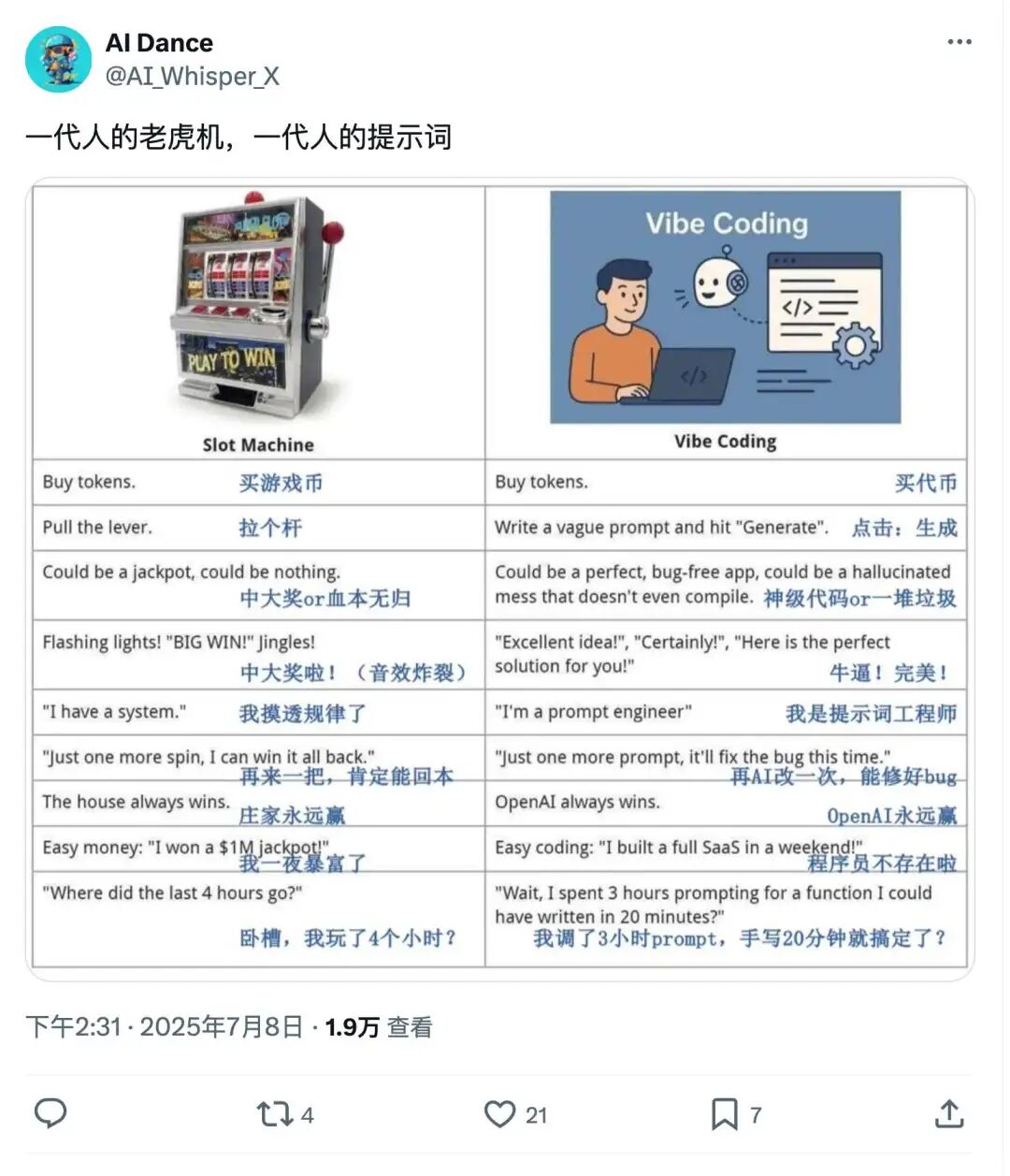
Similarities and differences between slot machines and vibe coding:
Slot machines: buy tokens, pull the lever, occasionally hit the jackpot, but more often it's "play again", and in the end the house always wins.
Vibe coding: buy Tokens, write vague prompts, click "Generate", sometimes you get perfect code, sometimes a total mess. The AI encourages you to "try again", you console yourself that "this time you'll definitely fix the bug", but in the end the model vendor always wins. Occasionally you feel like you got a good deal, only to realize later you spent even more time.
The biggest problem with vibe coding is that: it turns development into "relying on luck" instead of "controllable engineering."
Common vibe coding flow diagram
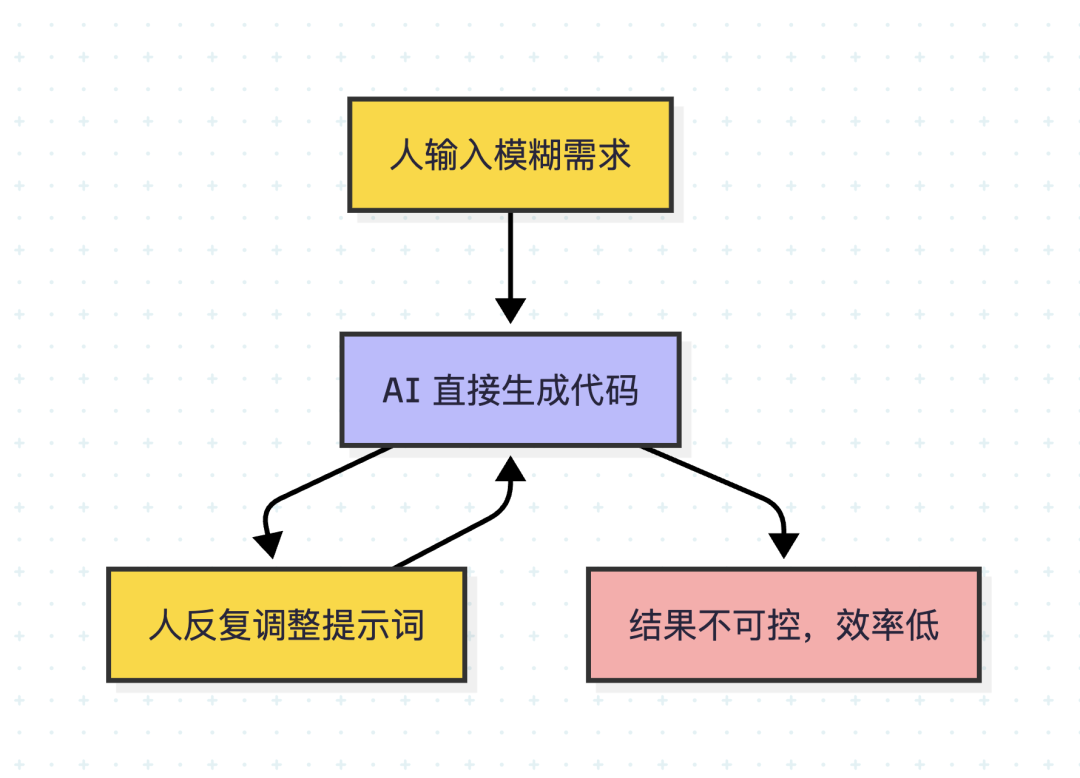
Yellow nodes are "human" operations, blue is AI output, red is undesirable results.
Is there a better way? — How traditional R&D processes work
Traditional software engineering emphasizes requirement clarification, technical design, task decomposition, and traceable processes. Although this is "slow", it keeps the project advancing steadily, and it's easy to review and collaborate on. Every step involves human review, ensuring neither the direction nor the details drift off course.
Kiro AI IDE turns this process into a "Spec workflow", making AI coding as reliable as an engineer.
Traditional R&D process diagram
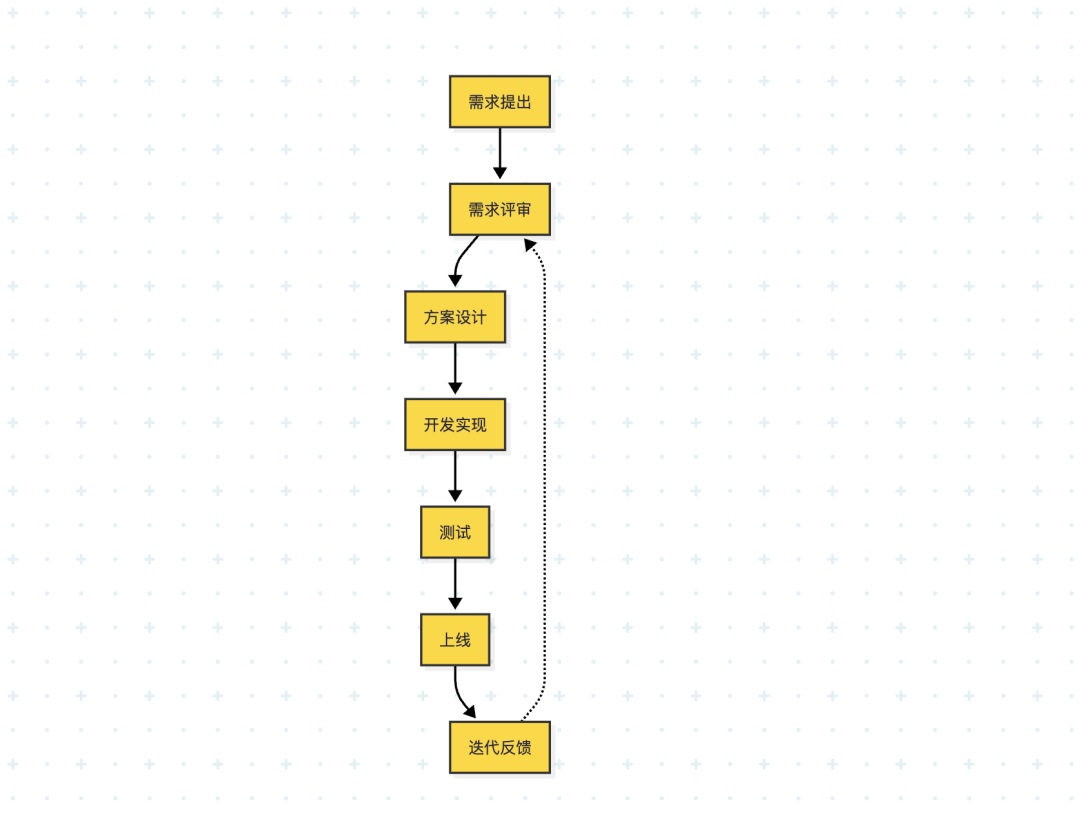
This process emphasizes requirement review and iterative feedback, reflecting the closed loop and continuous optimization of traditional software engineering.
How valuable is Kiro's Spec workflow?
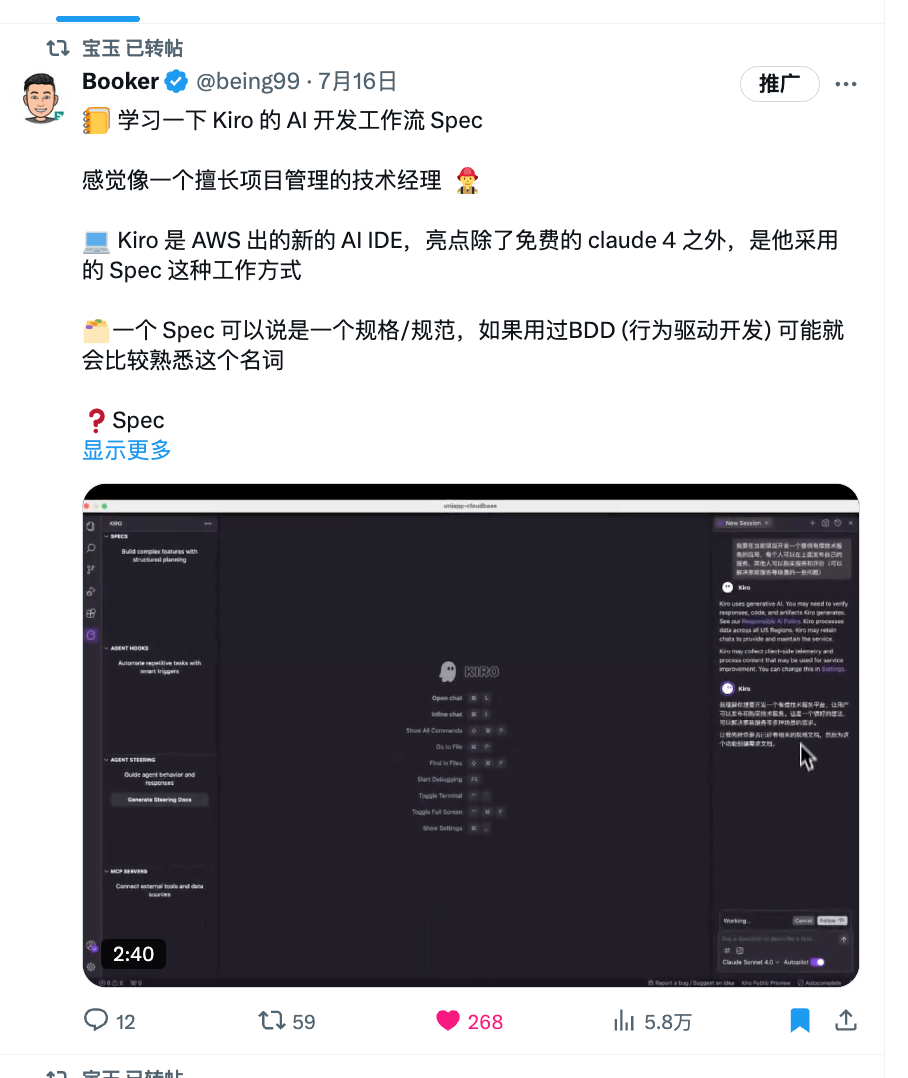
Kiro is an AI IDE launched by AWS. Besides free integration of Claude 4, the bigger highlight is its Spec workflow:
A Spec can be thought of as a specification/standard — if you've used BDD (Behavior-Driven Development), this term may already feel familiar.
Spec is designed to address how to turn vague ideas into detailed implementation plans, tracking, and acceptance criteria.
- Each Spec is a folder containing 3 core files:
requirements.md— requirements document (write user stories and acceptance criteria using EARS syntax)design.md— technical design (architecture, flows, caveats)tasks.md— task list (a to-do list, easy to track)
Does this feel familiar? It's essentially identical to how many big companies run their R&D processes and how agile development decomposes work, but Kiro deeply integrates it with AI IDEs, greatly boosting real-world efficiency.
What is the EARS requirements syntax?
EARS (Easy Approach to Requirements Syntax) was originally used for jet engine control systems and was later widely adopted by software engineering. It constrains requirements with simple sentence patterns, avoiding "vague expressions" so that requirements are clearer and actionable.
Reference: EARS syntax guide[1]
I've also put together a quick reference card so you can grasp it fast:

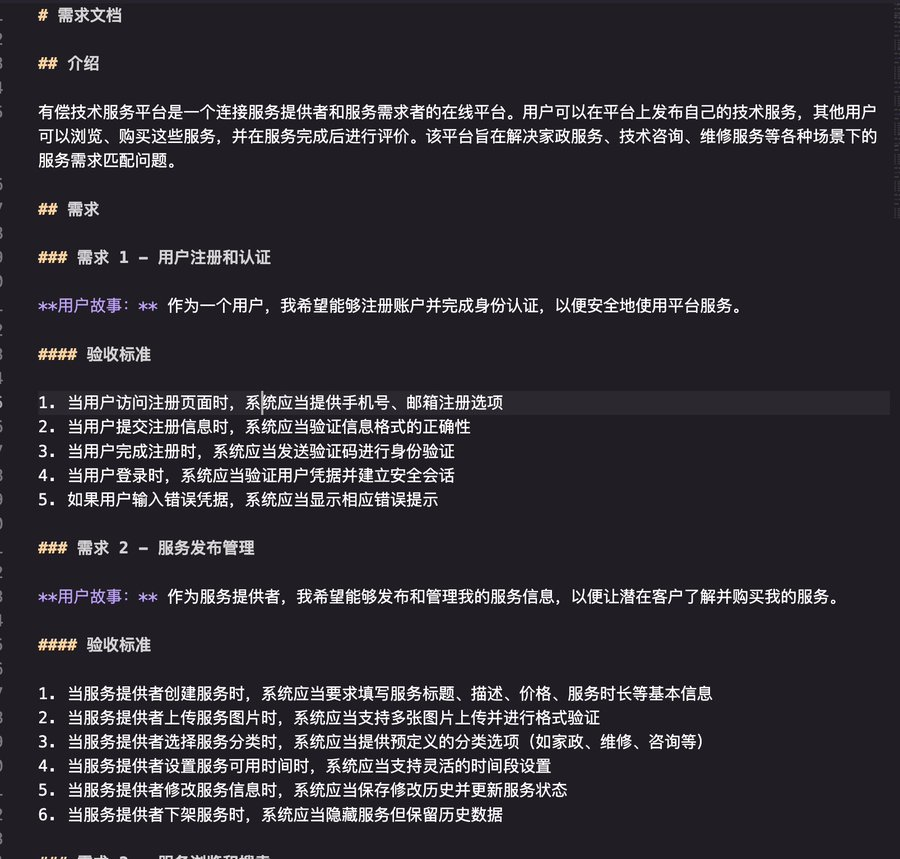
Example: When a user clicks "mute", the system shall suppress all audio output.
For instance, here's a complete example:
Claude Code/Cursor can also replicate this Spec approach
Even without Kiro, other AI IDEs can replicate this process. Taking Claude Code as an example, the whole process can be very smooth:
- Create CLAUDE.md in your project
- You can write the prompt template below directly into CLAUDE.md as the "operating manual" for collaborating with the AI.
- The latest version of the prompt can be obtained from this Github link[2].
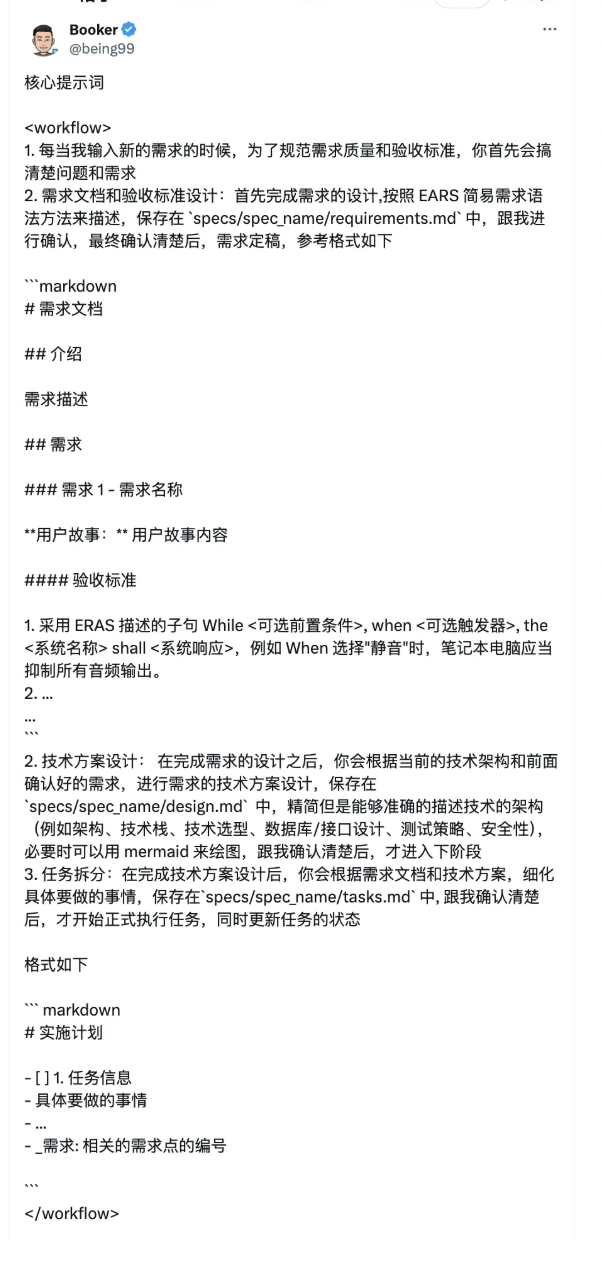
1. Launch Claude Code and enter your raw requirements
- Write your ideas and user stories directly into the dialogue box.
- Claude will automatically read CLAUDE.md and start clarifying and confirming requirements with you.
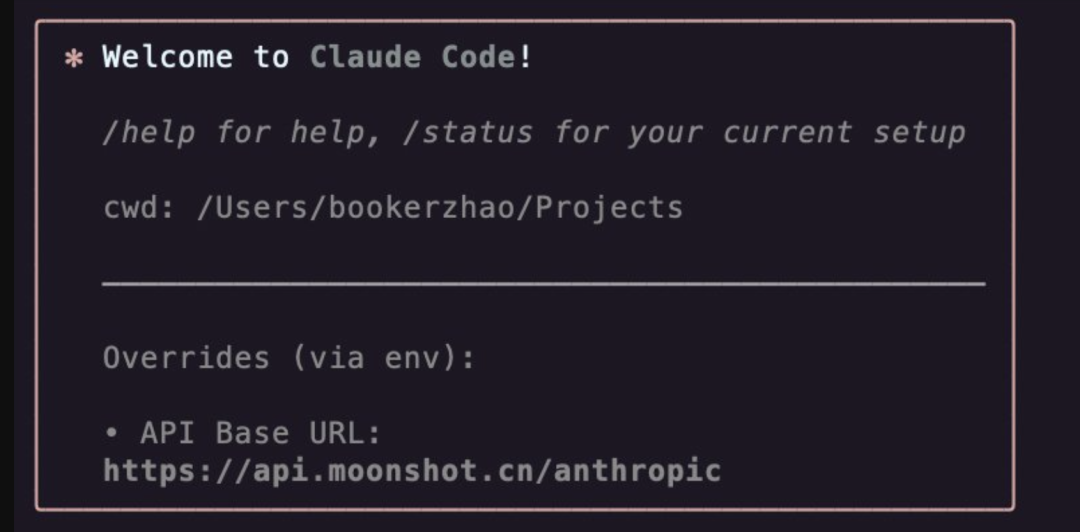
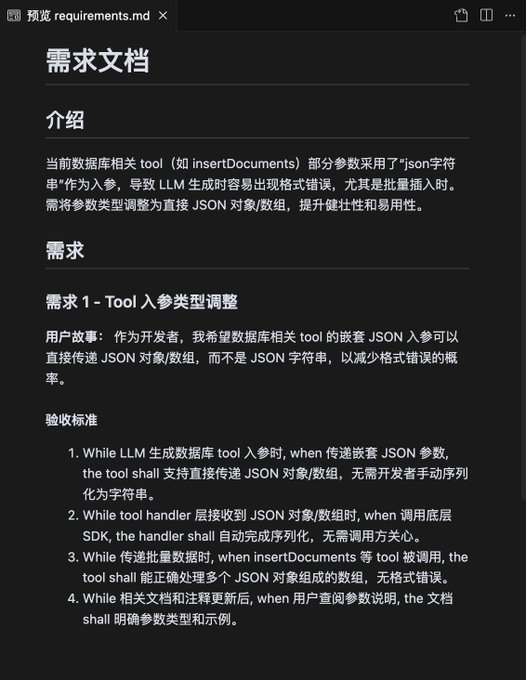
2. After confirming requirements, Claude outputs requirements.md
- Claude will organize requirements using EARS syntax and generate a standard requirements.md.
- You can supplement or revise at any time, and Claude will keep aligning with you.
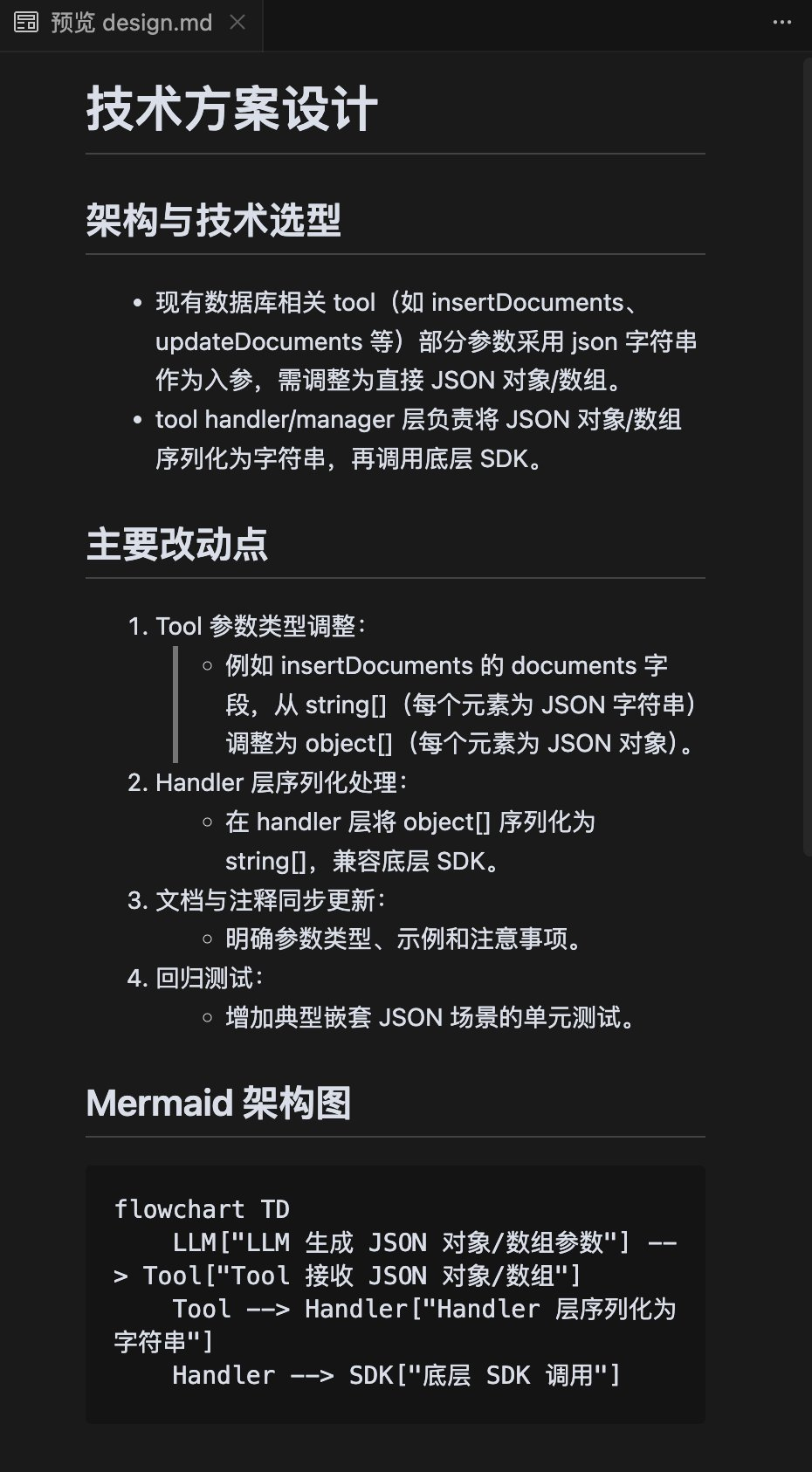
 3. Technical design
- Once requirements are confirmed, Claude automatically moves to the design.md stage and outputs a detailed technical design.
- Including architecture, technology choices, interfaces, testing strategy, and more.
 4. Task decomposition
- Based on design.md, Claude automatically generates tasks.md, breaking the design into an executable to-do list.
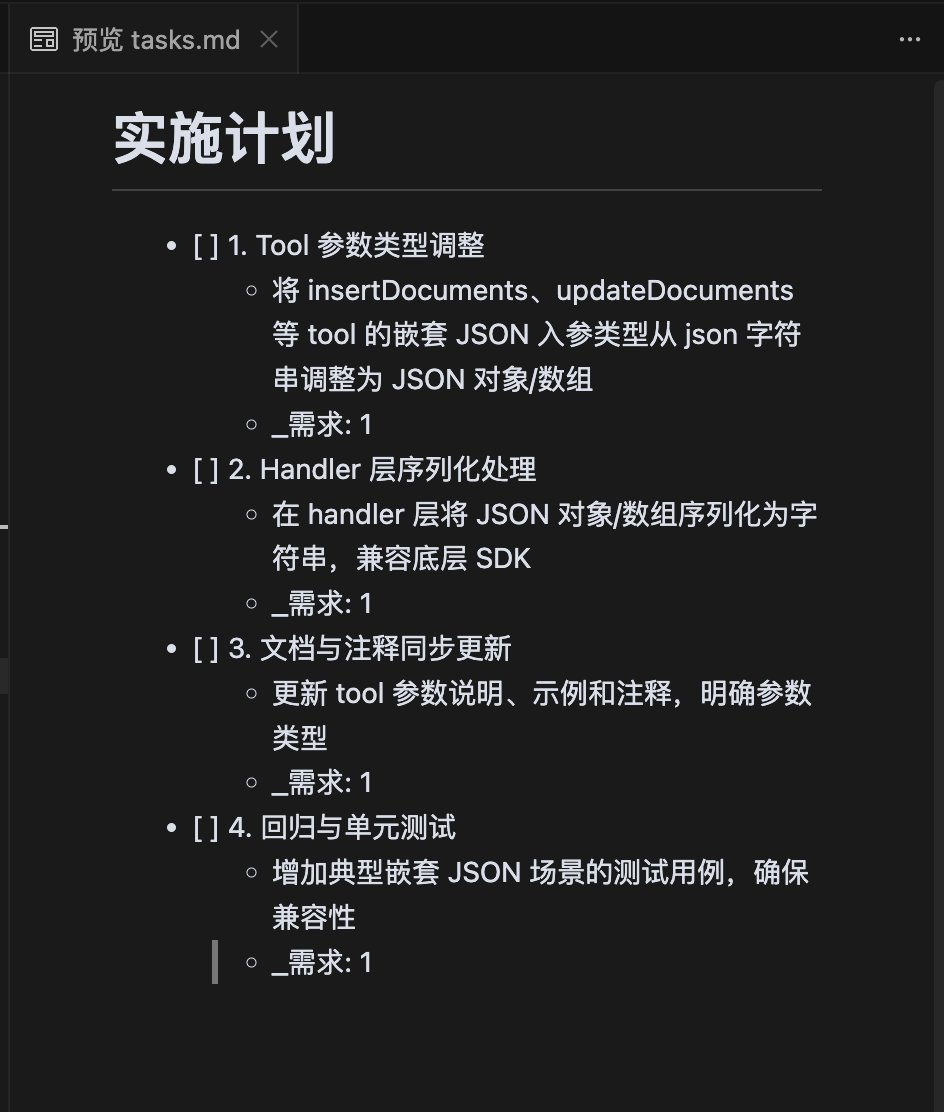 5. Step-by-step implementation and acceptance
- Claude follows tasks.md to help you implement code and tests step by step, outputting all process artifacts to the output/ directory.
- You only need to participate in key review stages such as requirements, design, and acceptance.
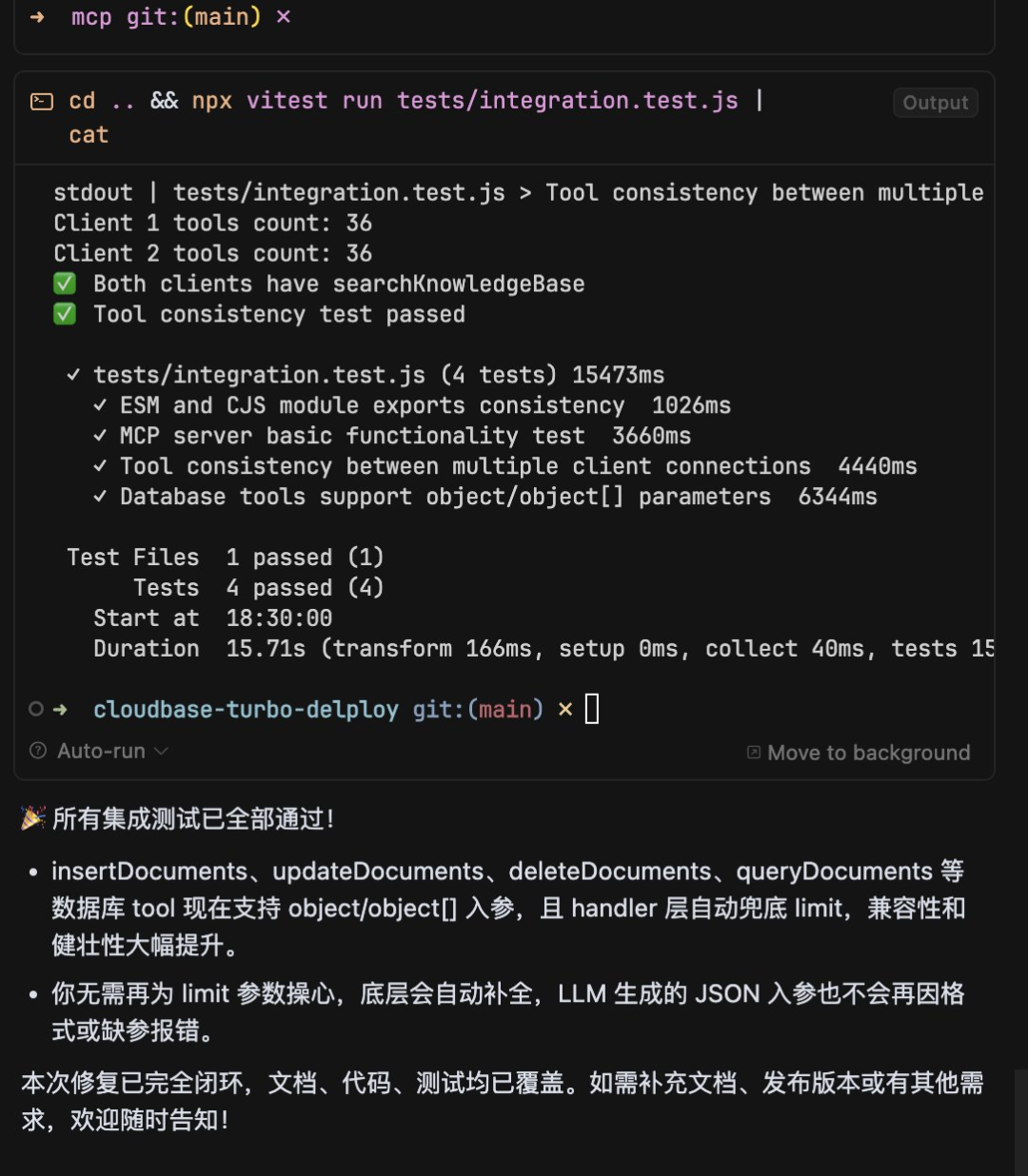
Going through this whole flow, you'll find the AI is no longer generating code for you like a "black box", but working with you like a partner — confirming every step and advancing gradually.
This way, even without Kiro, you can easily replicate the Spec workflow with Claude Code, making AI coding efficient, controllable, and reviewable.
Other AI IDEs can do something similar, such as Cursor's .cursor/rules/project.mdc, Augment's .augment-guidelines file, and so on.
If you'd rather have a more out-of-the-box experience, you can try CloudBase AI ToolKit[3], which has this workflow built in:
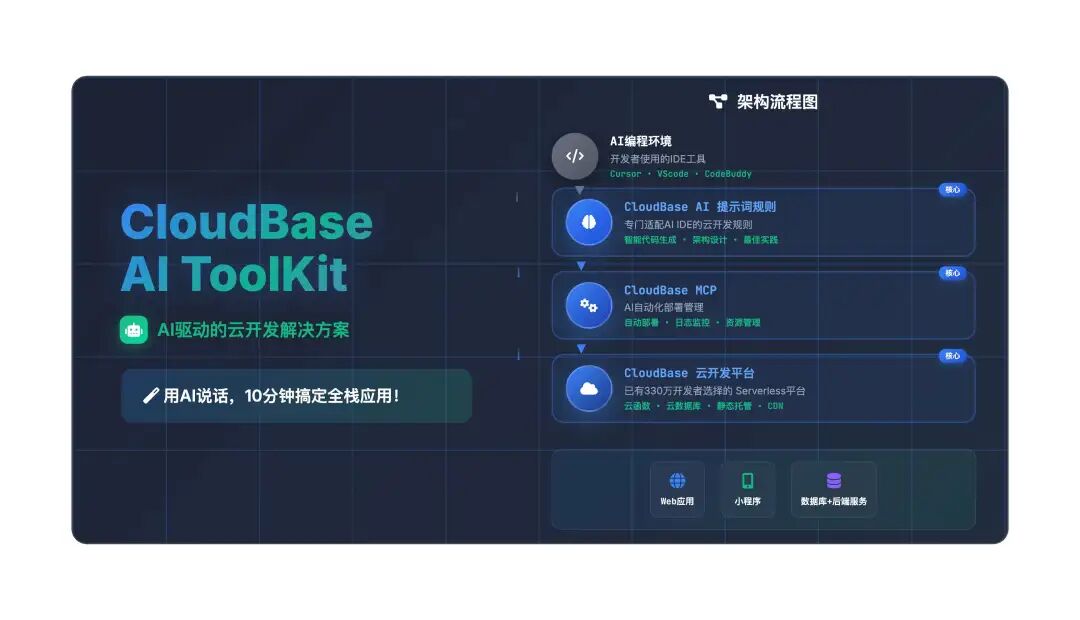
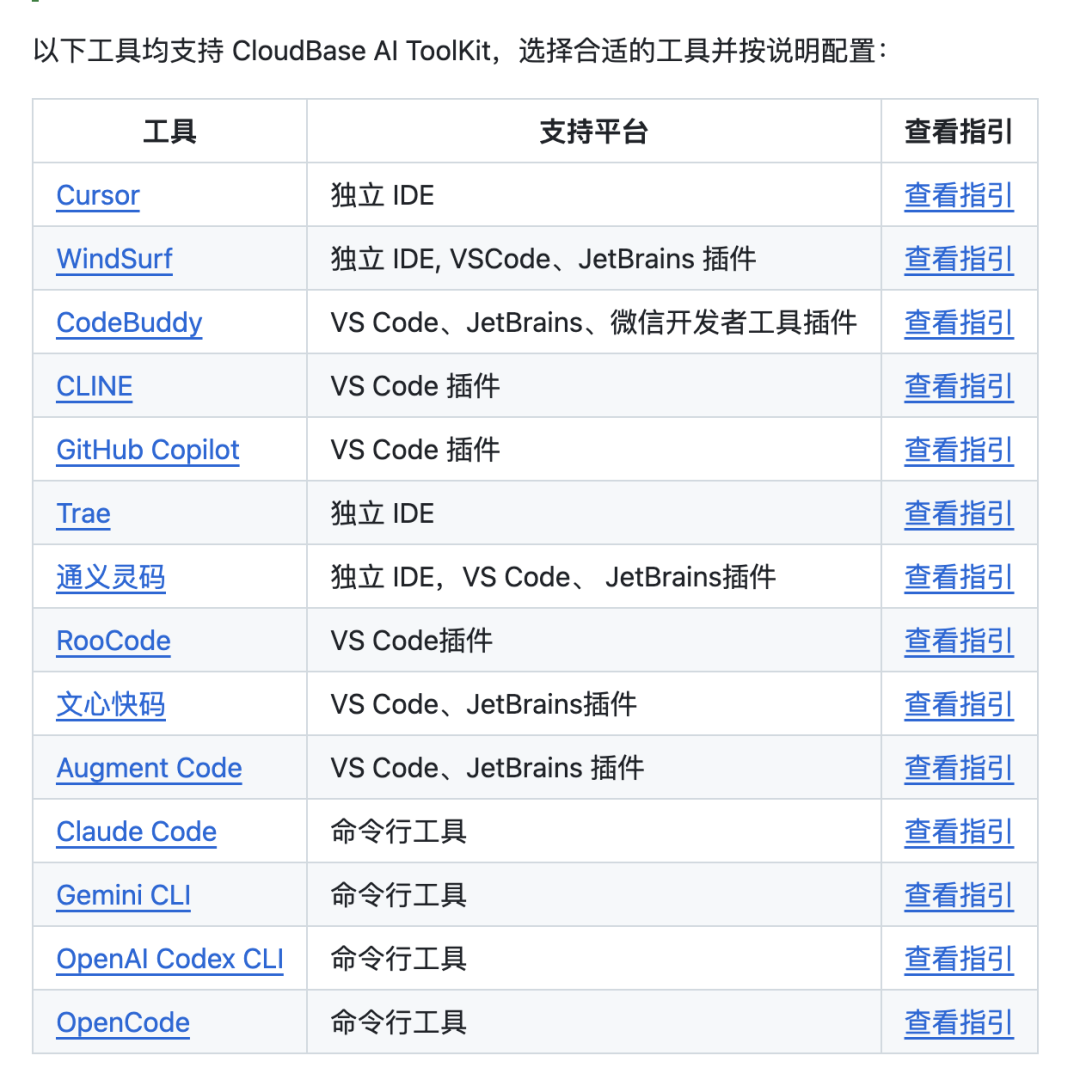
- Supports multiple AI IDEs, providing MCP + AI rules
- The rules come with this Kiro-like Spec workflow built in
- One-click generation, deployment, and hosting of full-stack web and mini-program frontend/backend applications, no operations required
Human-machine collaboration is the right answer
Under the Spec workflow, the AI is responsible for:
- Vague requirements → requirement design
- Technical design documents
- Task lists
- Coding implementation
- Acceptance testing
Humans only need to participate in:
- Requirement input
- Review of requirements/design/tasks/tests
Comparison flow diagram of vibe coding vs. the Spec workflow
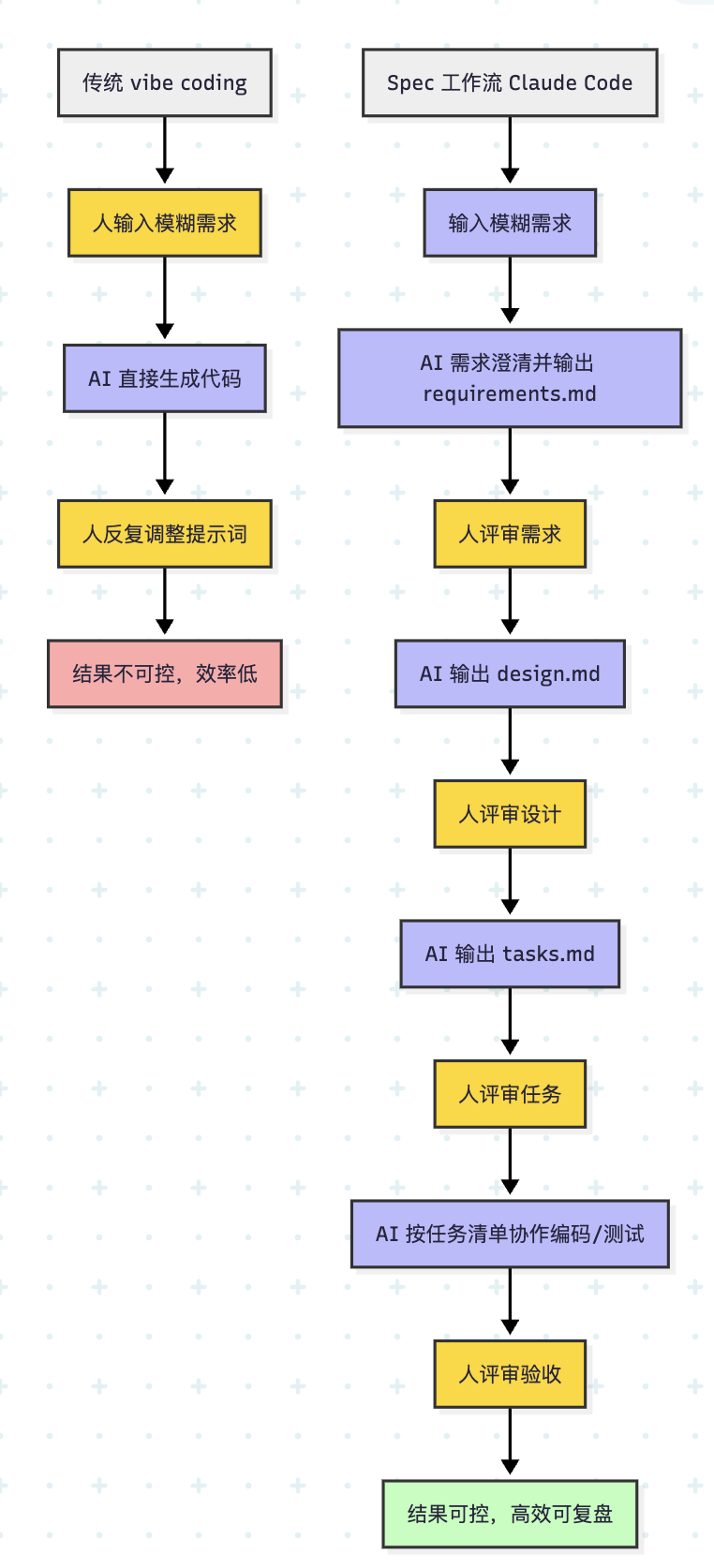
Yellow nodes are "human" review, blue is AI output, red is undesirable results, green is high-quality results, gray is process grouping.
This way you can leverage AI's efficiency while guaranteeing engineering quality. You'll find that AI doesn't replace humans — it lets people focus more on decision-making and steering direction, leaving tedious details to the AI.
Summary: Make AI coding faster, more stable, and more reliable
The Spec workflow makes AI coding no longer "relying on luck" but "following a clear methodology". Only by pairing human engineers' experience and judgment with the AI's efficient execution can development truly speed up, improve quality, and become reviewable.
Remember: AI doesn't replace humans — it makes people more powerful.
Finally, here's an 🥚 easter egg:
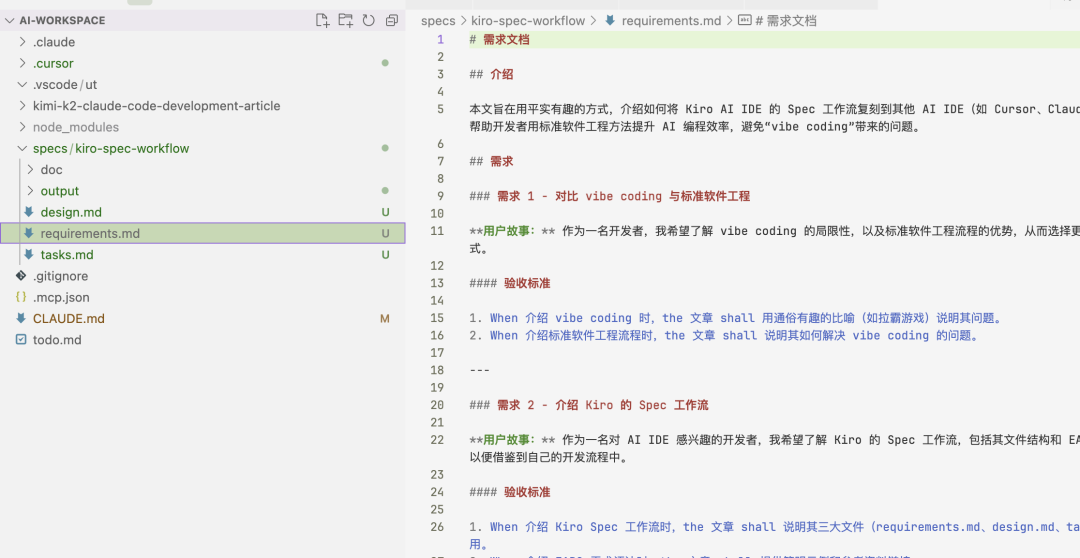
This very article was also completed by me using this workflow, collaborating with my AI partner. What remains isn't just the draft and final draft of the article, but also the thinking process of my pair-programming with the AI.
Results matter, but the value of the process should not be overlooked either.
 References[1]
EARS syntax guide: https://alistairmavin.com/ears/
[2]
[3]
CloudBase AI ToolKit: https://github.com/TencentCloudBase/CloudBase-AI-ToolKit/