
When something breaks in production, the team usually hears about it from a user first. Someone reports the page is down or orders are failing, and only then does anyone start digging through logs and metrics to find out why.
The check itself is not hard: read a few metrics, scan a few log lines, compare against yesterday. Fifteen minutes of work. The hard part is remembering to do it, and doing it every day.
AI tools can all run on a schedule now
Running a prompt on a timer ships natively in most AI coding tools: WorkBuddy has scheduled tasks that fire a prompt at a set time; Claude Code can turn a recurring check into a routine; OpenAI Codex has scheduled tasks; Cursor has automations; and failing all of those, an external cron that wakes up a headless agent counts too.
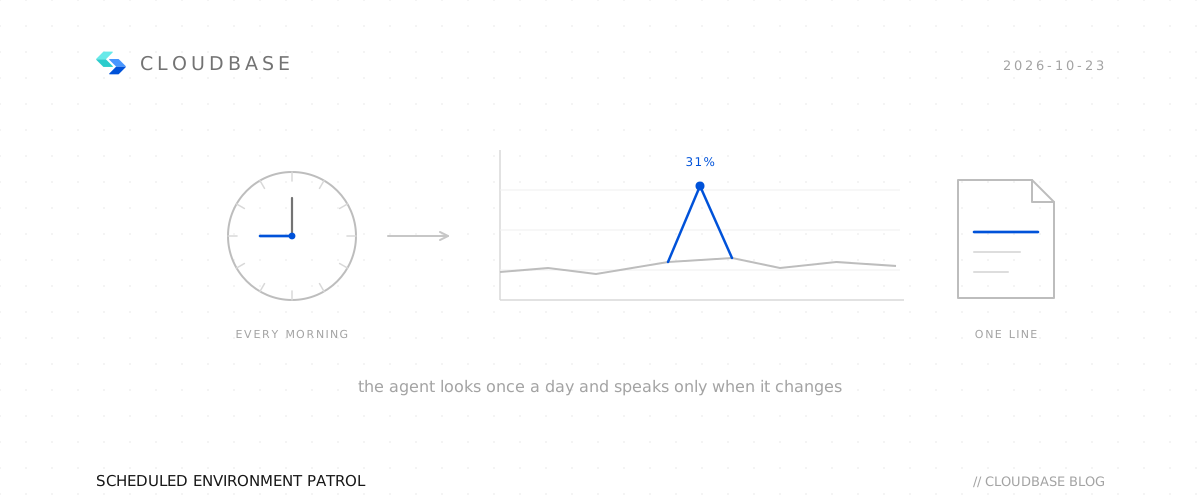
So the action itself — "run a check every morning at 9" — is covered everywhere. What is missing is the two things around it: what to check when the time comes, and how to tell that something got worse since last time. Let the agent dump every metric every hour and you will mute it within two days.
CloudBase covers both. With the CloudBase connector or skill installed, the agent can read the metrics and logs in your environment. On top of that, the ops-inspector skill already defines what to check, at what cadence, and what deserves a report.
What a patrol checks
ops-inspector ships four patrol types, each with a default cadence:
| Patrol | Checks | Default cadence |
|---|---|---|
| Health | Function error rate and throttling, environment QPS, 429 / 5xx in CLS logs | Hourly |
| Performance | PostgreSQL slow queries and connections, CloudRun CPU and error rate, timeouts in logs | Hourly |
| Resources | PostgreSQL database size, invocation growth versus the previous run, package headroom | Daily |
| Security | ACCESS_TOKEN_INVALID, 401 / 403, storage ACL changes | Daily |
Each finding comes with three things: the measured value, the threshold it crossed, and one suggested next step. Thresholds come from the public interpretation baselines — a 1% function error rate is a warning, 5% is critical — and you can override them in the conversation.
The reporting rule is the important part: report only what is new or worse. A run reports four kinds of finding — one it has not seen before, one whose value grew more than half while still above baseline, one whose severity went up, and one whose check could not run this time. A clean run answers with a single line naming the window and confirming nothing crossed baseline, no table. Findings are capped at 5 per report; more than that means the environment has a general problem, and the agent says so instead of printing thirty rows.
To report only changes, the agent has to remember what it reported last time. That state lives in cloudbase-patrol-state.json in the project root — add it to .gitignore.
The tools behind a patrol
The patrol runs on four query tools that the CloudBase connector provides:
Five tools, one slice each: queryEnv reads time-series metrics, one metric per call; queryLogs searches logs across services in CLS syntax — not SQL, but it aggregates, so one query can name the failing function; queryPgDatabase runs read-only SQL, reading connections via pg_stat_activity and size via pg_database_size(). PostgreSQL's CPU, disk, memory, and slow-query metrics are absent from queryEnv's list, but the full platform monitoring set the console shows is reachable with callCloudApi against the monitoring API's GetMonitorData (namespace QCE/POSTGRES). queryFunctions reads the execution logs of a single function, capped at one day and 100 rows per call.
One prerequisite: the environment needs CLS enabled. Without it, queryLogs fails; with it enabled but not capturing a source, the result is empty. Both get read as "no errors", which is why every patrol starts with checkLogService.
Set it up in three steps
Step 1: connect
Copy this into your AI tool and it will wire CloudBase up following the docs:
Connect me to CloudBase, as follows:
1. Open https://docs.cloudbase.net/skill.md and follow the setup instructions.
2. When done, tell me and suggest the most relevant next step.
In WorkBuddy you can also click Connectors at the bottom left of the message box, search cloudbase, and turn on the switch for Tencent CloudBase — same result.
Step 2: run one patrol
Once connected, run it once by hand and see what the report looks like:
Use the CloudBase ops-inspector skill to inspect the health of this environment
No environment ID needed, no need to name which tools to call — the skill has it all. The report opens with an overall verdict, then each finding with its measured value and a next step. Read this report before deciding on a schedule.
Step 3: schedule it
If the report was useful, put it on a cadence:
Every morning at 9, run ops-inspector on this environment and report only what got worse.
Format the report as a one-page markdown file and email it to me.
Where the report lands is up to you: back in the conversation, as a file, by email, or pushed to a group chat. A scheduled run cannot stop to ask questions mid-flight, so give it read access only — a patrol needs nothing else. When it finds a problem it writes the recommendation and stops.
One real run
A test environment, 24-hour window:
| Metric | Result |
|---|---|
Environment QPS (GatewayTraceEnvQPS) | peak 21, average 14.7 |
Function invocations (FunctionInvocation) | 100 total, peak 17 / hour |
Function errors (FunctionError) | 31 total, worst hour 6 |
QPS peaking at 21 looks fine on its own. Put the last two rows together: 100 invocations, 31 errors — a 31% error rate. The worst hour had 17 invocations and 6 errors, 35%, at 18:00 the day before.
Against the 1% / 5% baselines, 31% is not "a bit high".
At this point the patrol knows a third of requests failed, but not where. The next step — logs — narrows it to a line:
function_name: user-login-register
status_code:   430
TypeError: First argument must be a string, Buffer, ArrayBuffer, Array...
    at WXBizDataCrypt.decryptData (/var/user/WXBizDataCrypt.js:10:20)
All 31 errors come from this one function and this one line — the WeChat data-decryption code passing a non-string into the decrypt call. Metrics answer "when did it go wrong"; logs answer "which line". Two steps from symptom to fix.
The next day at the same time, the finding is gone from the report. You do not go back through the logs to check whether yesterday's fix worked — it stopped reporting, so it worked.