
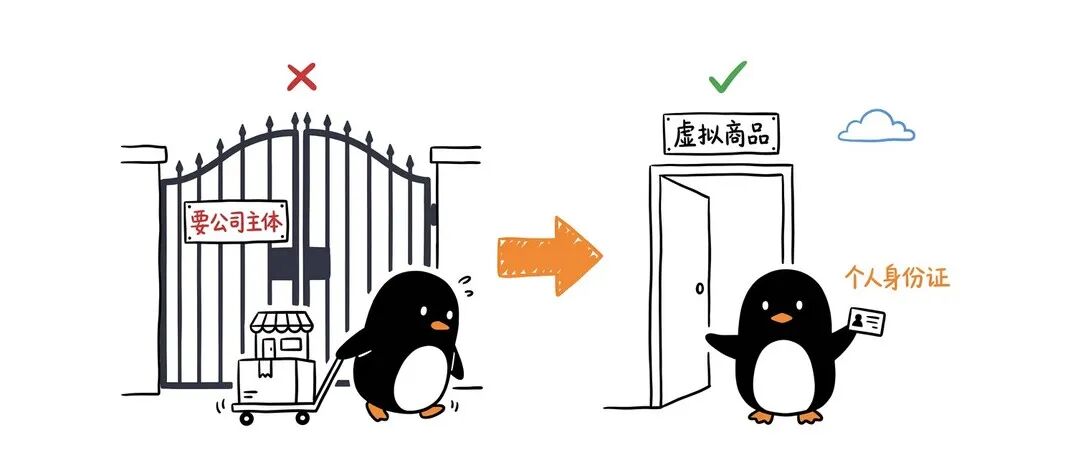
Mini Programs registered to individual developers now support virtual payments. Non-physical goods such as subscription packs, membership days and in-game items can be sold inside a WeChat Mini Program, and the revenue can be withdrawn directly to your account.
What virtual payments cover, and who can enable them
To help individual developers build sustainable businesses and encourage innovation from individual creators, the WeChat Mini Program platform is opening virtual payments to individually registered Mini Programs within eligible categories.
Virtual payments sell non-physical goods: feature unlocks, AI credit packs, membership days, in-game items, recorded courses, and audio or video content all fall into this category.
In scope: utility Mini Programs — AI tools, image processing, file conversion, productivity helpers — especially those with subscriptions or in-app item purchases. They are the first to benefit.
Out of scope: physical goods and e-commerce still use regular WeChat Pay and require a sole proprietorship or business qualification. Services that require a telecom business license (email, voicemail, information publishing platforms, and similar) are also excluded. The eligibility requirements are listed below.
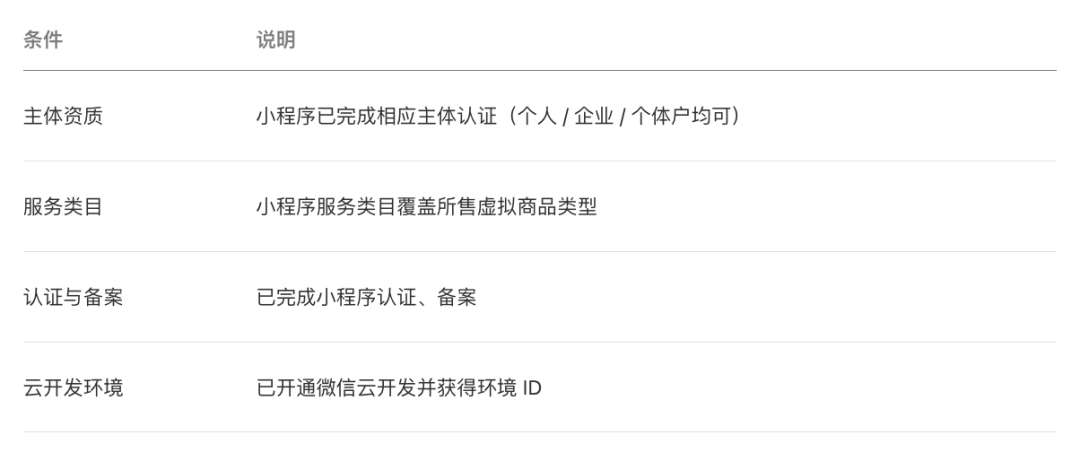
For individual developers: the service category must include "Tools", and the combined monthly payment limit across all platforms is RMB 100,000. That limit is a payment cap, not a tax exemption — declare your income as usual.
See the integration documentation linked at the end of this article for the full category and qualification rules.
Enable virtual payments in three steps
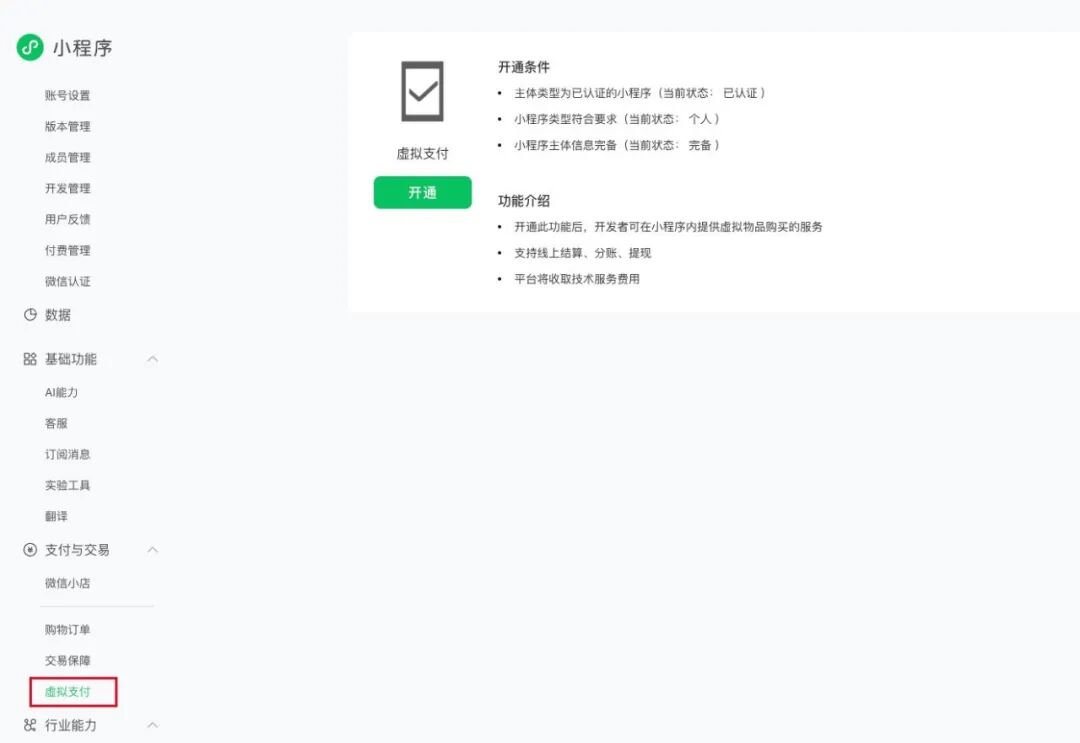
In the WeChat Official Accounts Platform, go to Payments and Transactions → Virtual Payments in your Mini Program's admin console and work through the steps in order.
1. Mini Program admin console – Payments and Transactions → Virtual Payments
Click Enable and sign the "Terms for Enabling Virtual Payments in WeChat Mini Programs".
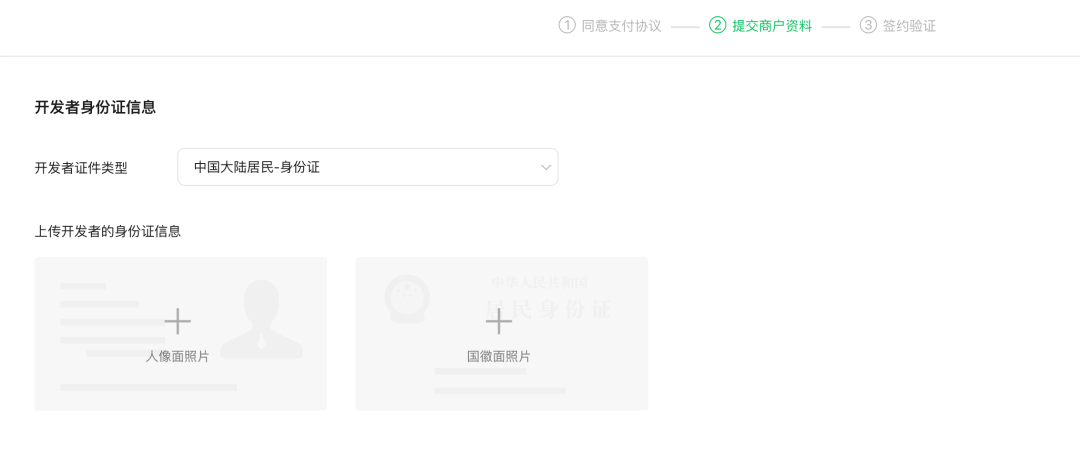
2. Fill in your personal details
Identity information (both sides of your ID card, each file under 2 MB), a withdrawal account, and a payment administrator.
3. Submit for review
Wait for the review; the admin console will show the current status.

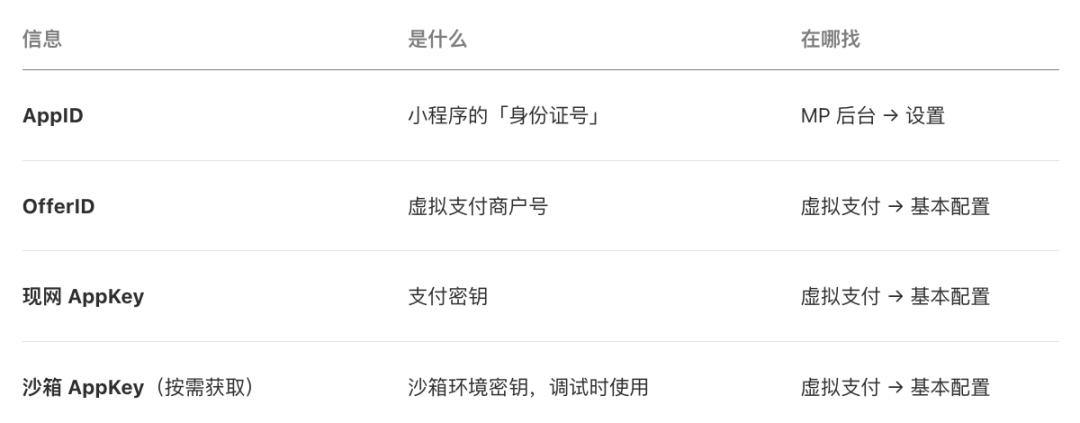
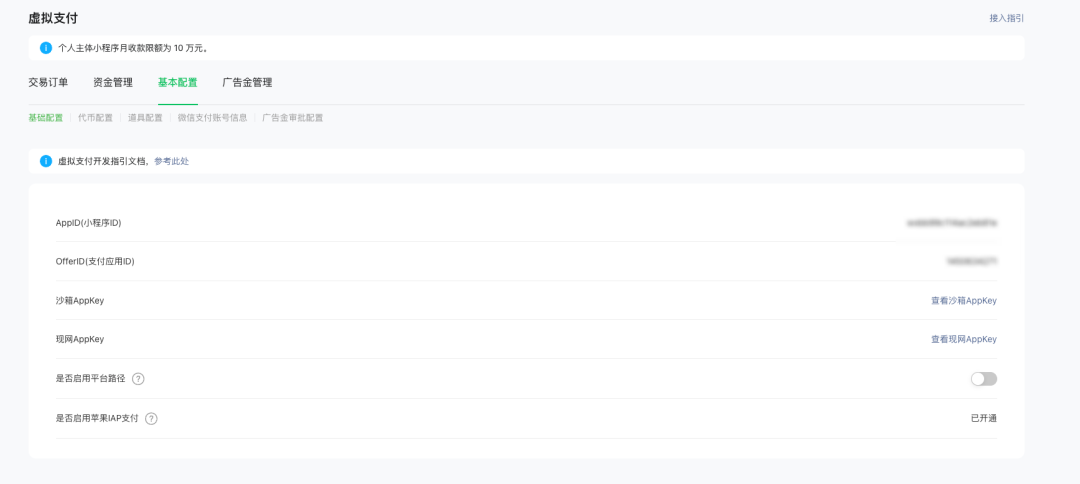
4. Once approved, scan the QR code to sign and enable — then record the three values you will need throughout the code
5. Extra requirements for iOS payments
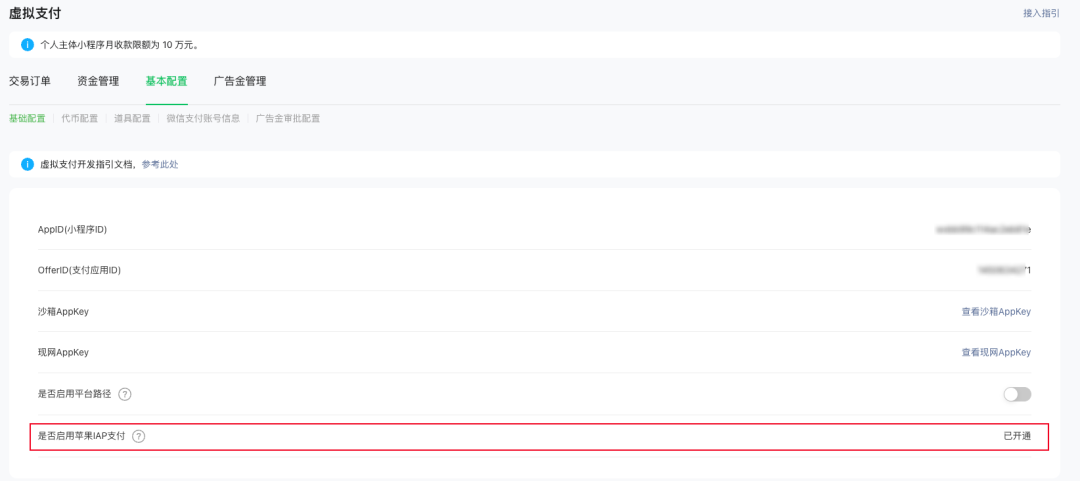
Two extra settings are needed for iOS: set the Mini Program short name (the name shown by Apple) under Virtual Payments → Basic Settings, then enable Apple IAP in the basic configuration. iOS also requires WeChat 8.0.68 or later.
6. Create an item
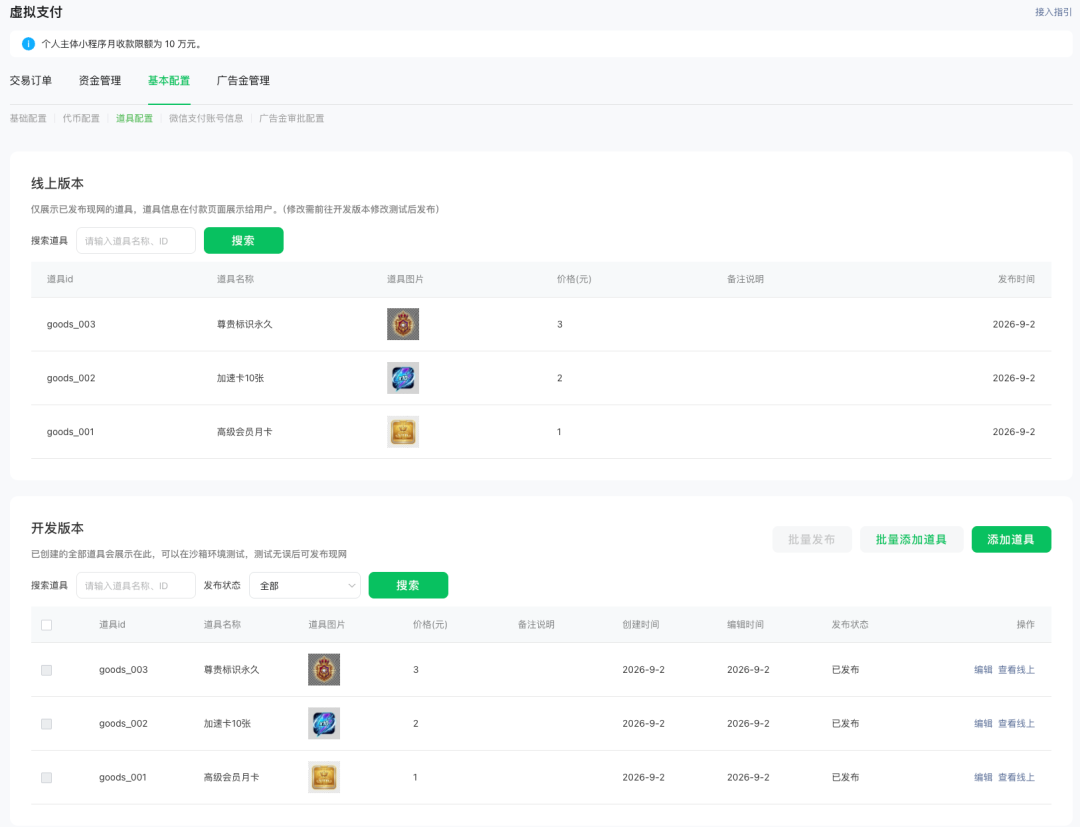
Go to Virtual Payments → Item Management, create an item with an item ID and a price, then publish it.
Install the Skills and let an Agent build the backend
The client side calls a single API. The real work is on the server: signing, push notifications, storing orders, and querying orders — all four are required. You no longer have to write them yourself; three steps are enough.

Step 1: Switch to the Nightly build of WeChat DevTools.
The virtual payment Skills and MCP are built into the Nightly build only, version 2.02.2608312 or later. The stable build does not include them and does not support the wechatide CLI. Find the download link on the DevTools release notes page.
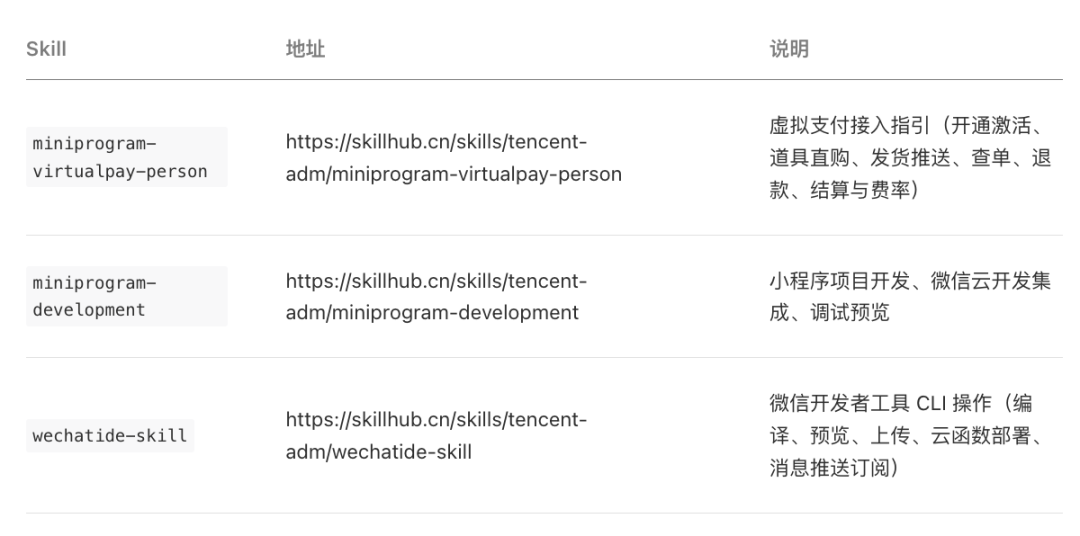
Step 2: Install three Skills.
The Nightly menu has a "Copy Skill installation prompt" option — copy it and send it to your Agent.
Copy this prompt and hand it directly to the Agent:
请根据 https://skillhub.cn/install/skillhub.md,安装

@tencent-adm/miniprogram-virtualpay-person、

@tencent-adm/miniprogram-development、

@tencent-adm/wechatide-skill
Each Skill handles one part of the flow. Once installed, confirm that all three are loaded in the Agent's Skills panel.
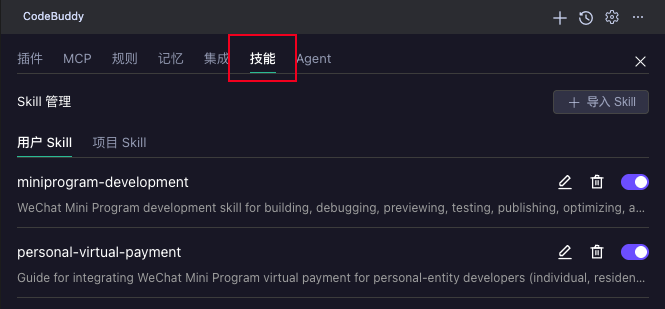
Step 3: Hand the requirement to the Agent.
The open-source demo repository is linked at the end of this article.
Copy this prompt and hand it directly to the Agent:
我有一个小程序,已经开通虚拟支付,并完成相关虚拟道具的配置,请使用安装好的 Skill,帮我生成一个能完成整个虚拟支付流程的 Demo。
The Agent responds in sequence:
1. Environment and authorization
It checks the service port and completes the CLI authorization handshake. DevTools will show two confirmation dialogs — "Request CLI connection" and "MCP client authorization" — allow both.
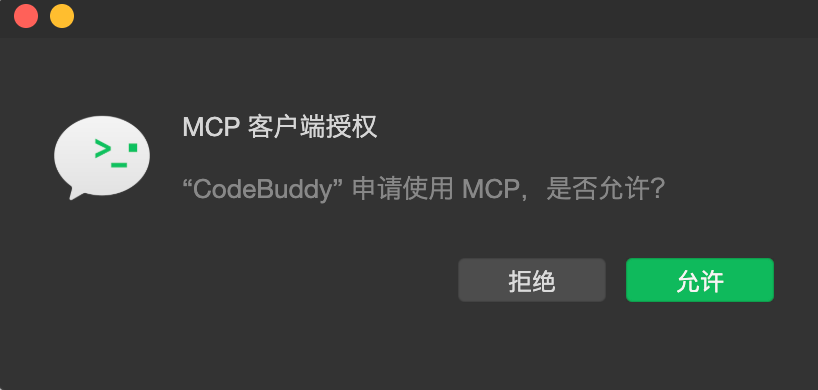
2. Deploy cloud functions
It deploys order signing, callback handling, order-query fallback, and user identity resolution as cloud functions.
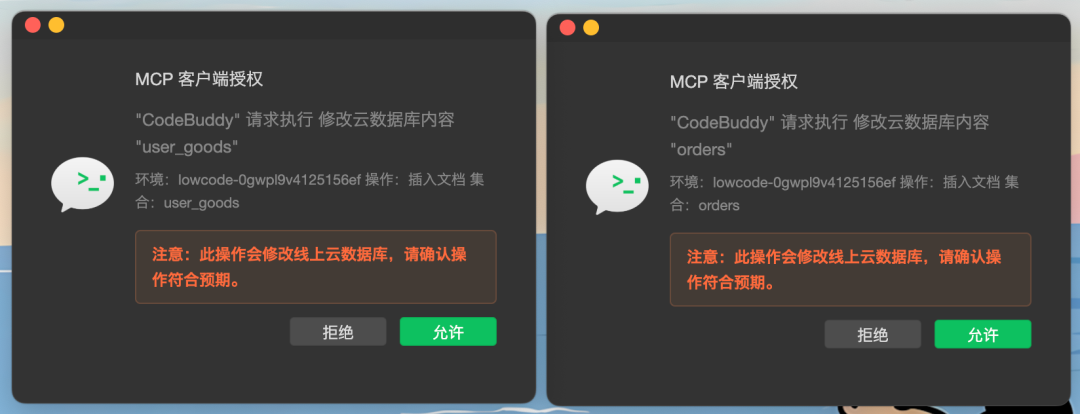
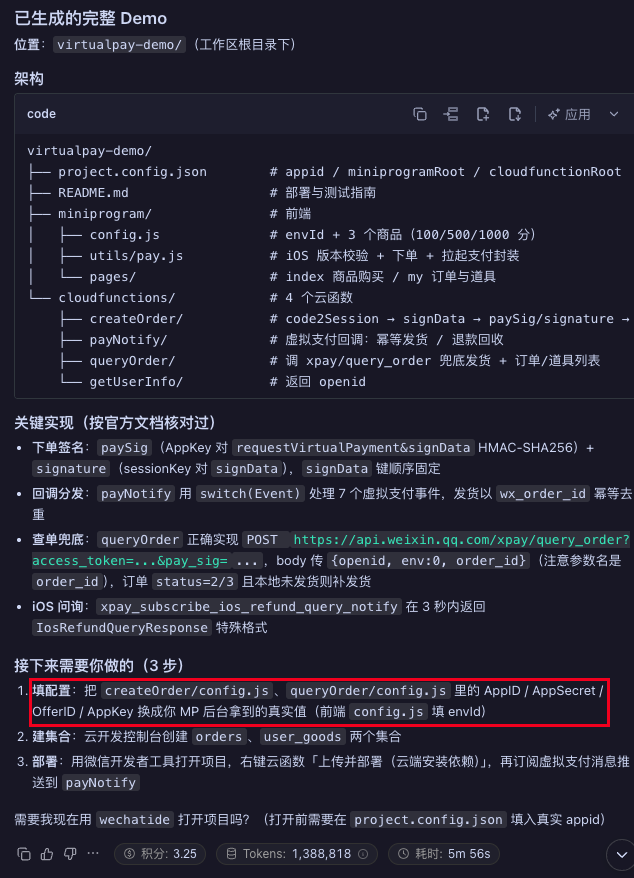
3. Review the demo structure
Following the prompts, it passes the virtual payment parameters — APPID, OfferID, and the production APPKey — to the AI.
4. Subscribe to push notifications
It subscribes delivery, token, refund, and complaint events to cloud functions.
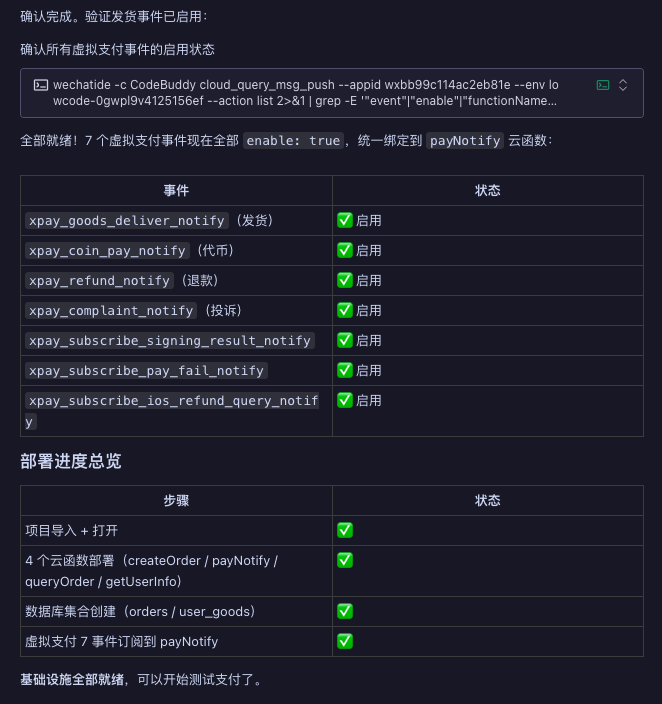
A complete demo runs end to end in about 10 minutes, provided virtual payments are enabled and the items are configured; review and platform sync waiting time is not included. Have the Agent check the generated code against the Skill's checklist for the two signatures and callback logic — the keys and algorithms differ between the two signatures, and that is where mistakes are most common.
Prefer a manual setup? Use Integration Center
Path: CloudBase platform → Templates and Integrations → Integration Center → Mini Program Virtual Payment → Create Integration.
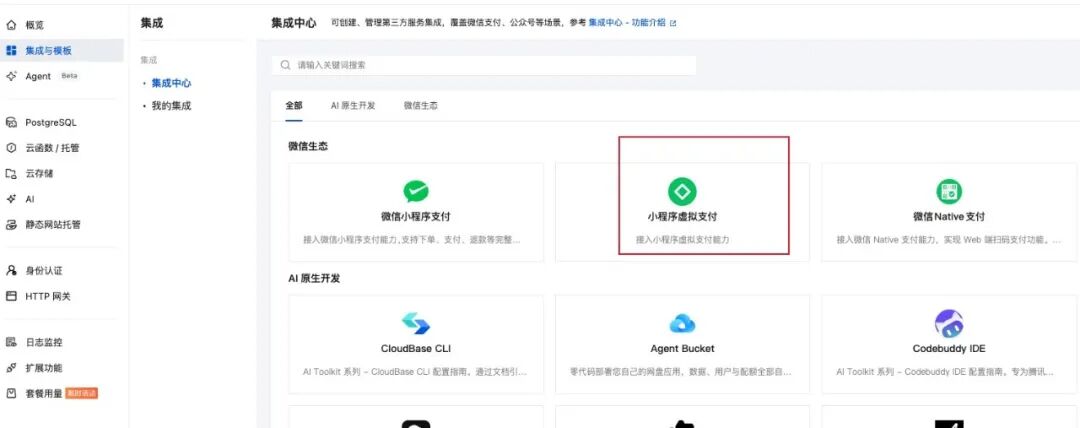
Filling in the integration details automatically creates the cloud function resources. Then paste the callback URL provided by Integration Center into the message push settings in the WeChat admin console: MP admin console → Virtual Payments → Basic Settings → Item Configuration → Delivery Push Configuration.
Once configured, check the callback status in Integration Center, or confirm in the cloud function logs that the push reached /xpay/callback.
Validate with the first real order
Deployment alone is not enough — run a small real order to verify the whole chain.
Step 1: The payment sheet opens (iOS example)
Tap Buy in the Mini Program. If the checkout sheet appears, the order signature and payment parameters are correct.
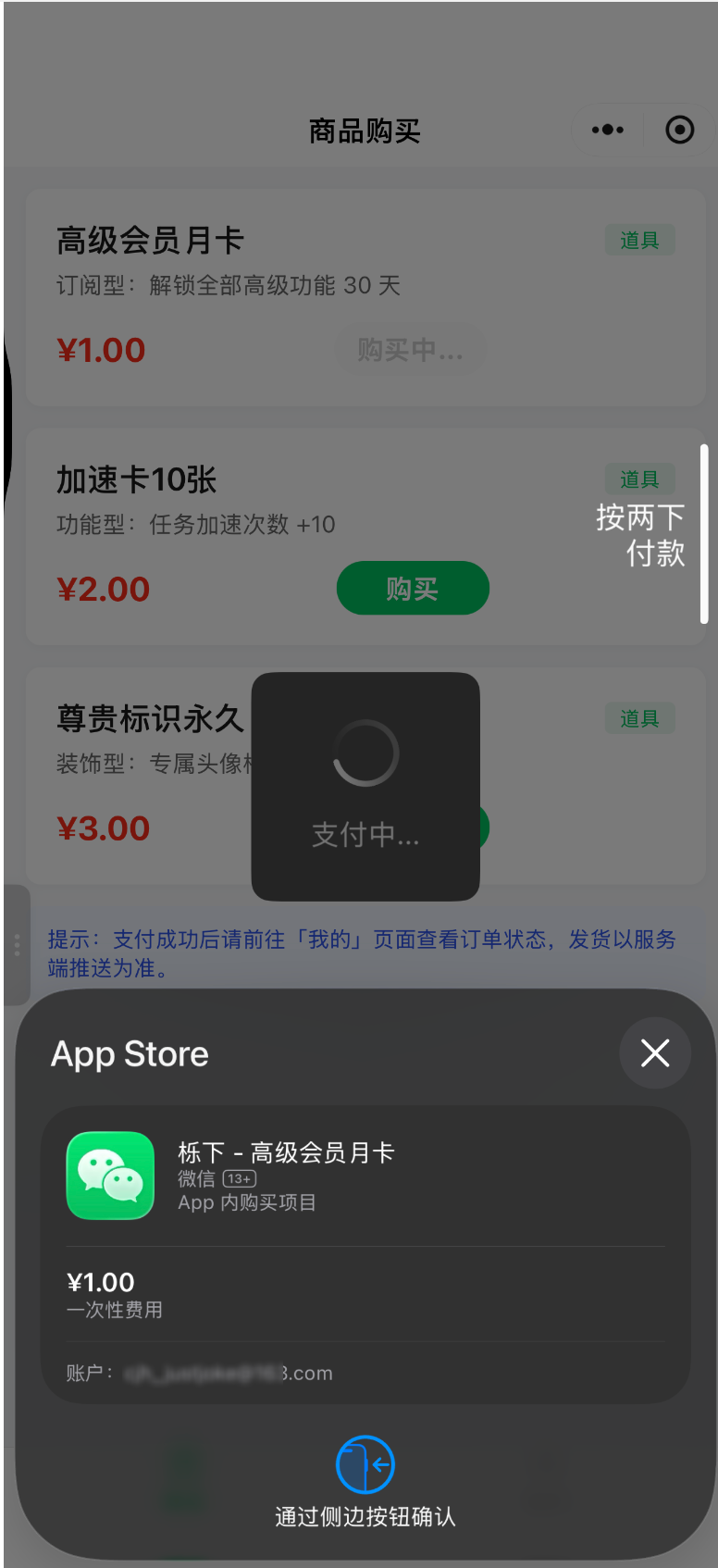
Step 2: The item is delivered
After payment, the order status and item count update, and the transaction also appears under Virtual Payments in the MP admin console.
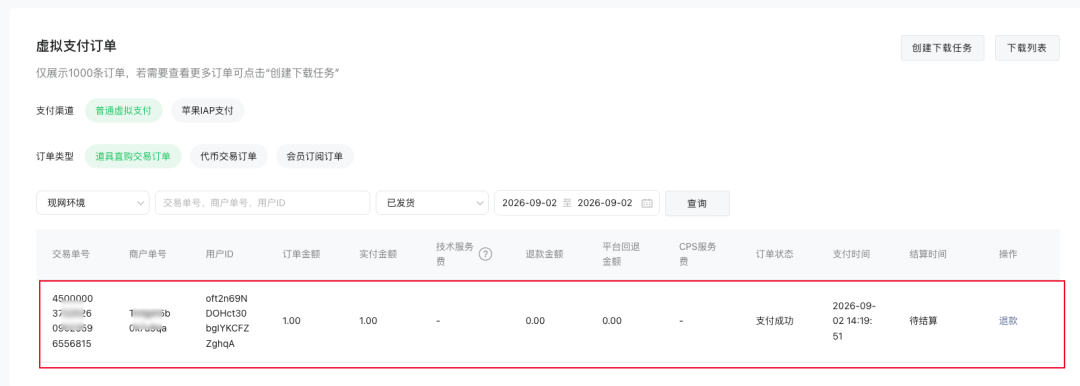
Step 3: The callback arrives
Confirm in the cloud function logs that the xpay_goods_deliver_notify event was received.
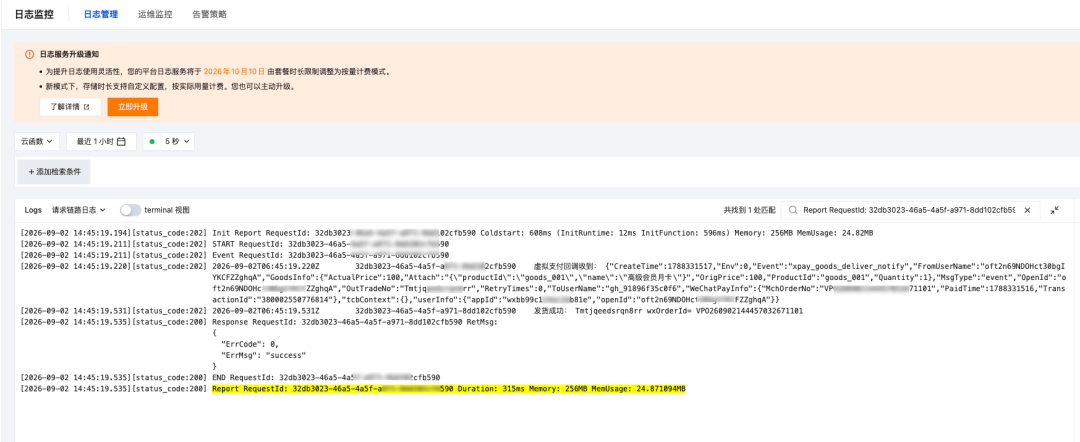
Once the full chain checks out, you are ready to publish.
Fees, settlement and refunds: do the math before pricing
The two platforms differ significantly in fees and settlement cycles. The technical service fee has two tiers:
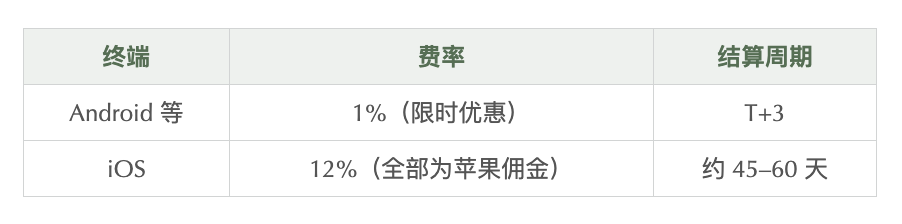
After funds arrive, check your balance and daily statements and request a withdrawal under Virtual Payments in the MP admin console. Invoices for the technical service fee can be requested after the 5th of the following month. Refunds within 180 days of payment get the platform fee refunded; after 180 days, it is not refunded.
On iOS, refunds can only be initiated by the user from their App Store purchase history — developers cannot issue them through an API. Once Apple approves the refund, the platform pushes a notification; the server-side callback logic is the same as on Android, so the server revokes the item and updates the order status.
For iOS orders, we recommend hiding the refund button in frontend surfaces such as the "Me" page and showing guidance that sends users to the App Store instead.
Pre-launch checklist
Work through this list before going live:
- Eligibility confirmed: individual developer + mainland China resident ID + "Tools" service category + verification and ICP filing complete
- Users informed of the combined RMB 100,000 monthly payment limit across all platforms
- Virtual payments enabled in the MP admin console
- AppID / OfferID / production APPKey obtained
- For iOS payments: Mini Program short name configured
- Push notification receiver deployed (with Tencent CloudBase, DevTools Skills can do this automatically)
- Delivery push URL configured in the MP admin console and verified with a test payment
- Server-side signature verification passes (signature function matches the official documentation example)
- Delivery push is idempotent (deduplicated by
wx_order_id) - Client-side
wx.requestVirtualPaymentworks end to end; payment succeeds and the delivery push arrives - Order-query fallback is in place (
query_order) - Refund rules, settlement cycle and fees disclosed to users (Android 1%, iOS 12%)
- After launch, verified with a small real order: payment → push → delivery → matching amount in the admin console statement
Even a small tool can be a small business
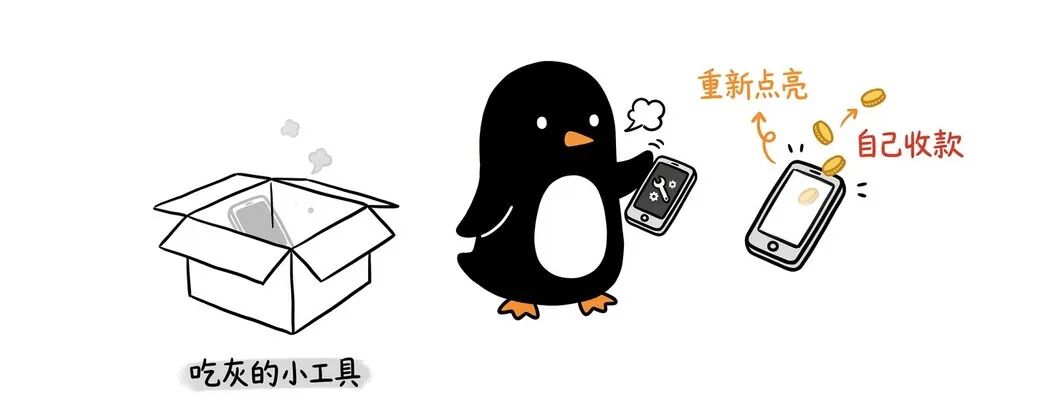
Opening up virtual payments answers one question for developers: after building a Mini Program, can you see whether users are actually willing to pay for it? Start with a small tool. Even if it serves only a handful of people, recurring payments make it a modest passive income.
Do you have a tool like that? Share it in the comments after you hook up virtual payments 😄