

Moonshot AI's Kimi Code and Kimi Work are now part of the CloudBase ecosystem. Two products, two interaction models, one plugin.
Why Kimi
Kimi is one of the fastest-growing players in China's AI coding space. From conversational AI to code generation, Moonshot AI has expanded into two distinct product lines: Kimi Code (a terminal-first CLI client) and Kimi Work (a desktop agent for knowledge workers).
For CloudBase users, this means two more entry points for operating cloud resources with natural language.
Two Products, Two Use Cases
Kimi Code: For Terminal Users
Kimi Code is a command-line-first AI programming client, similar to Claude Code or Codex CLI, but deeply integrated with Kimi's model capabilities.
Installation is straightforward:
- Type
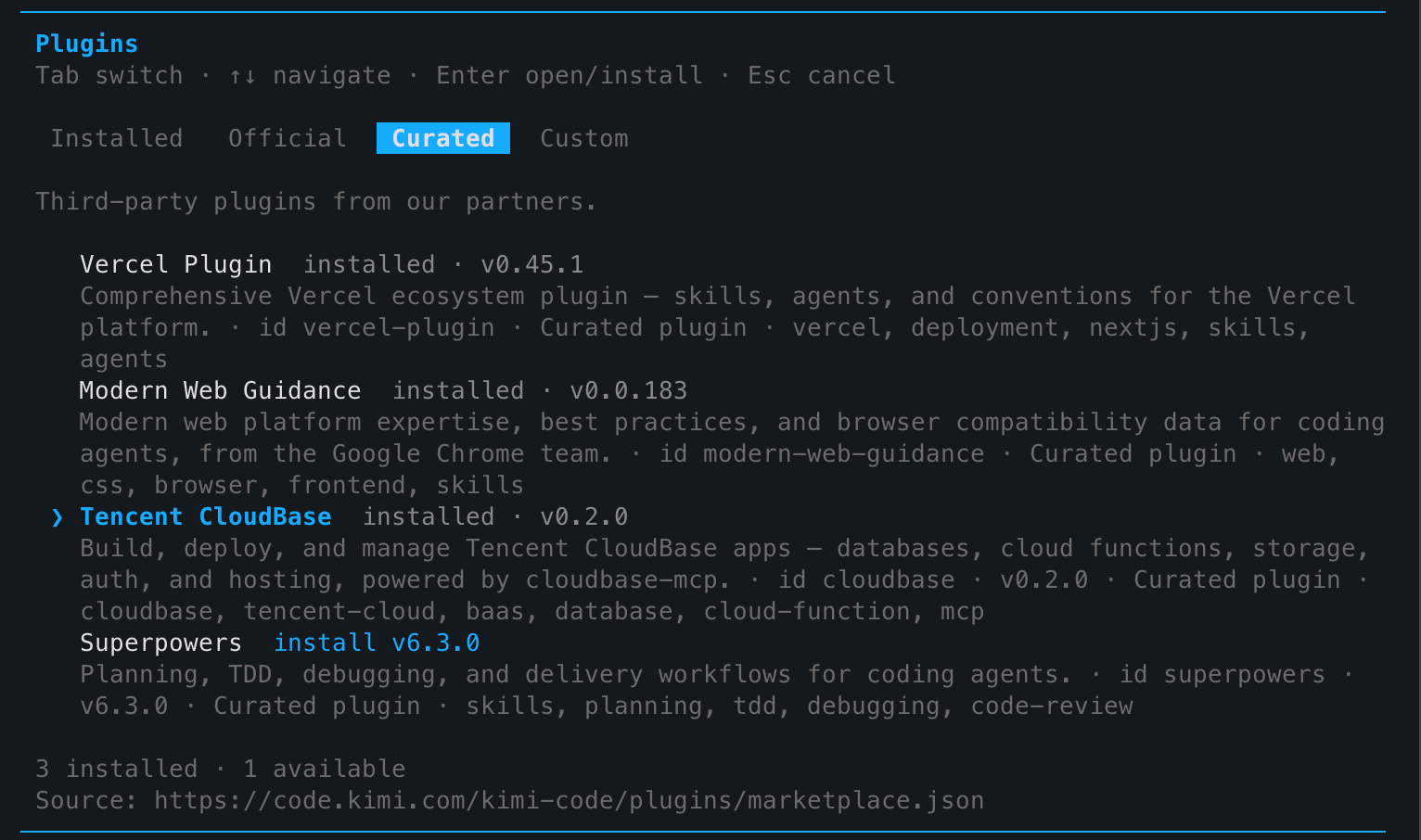
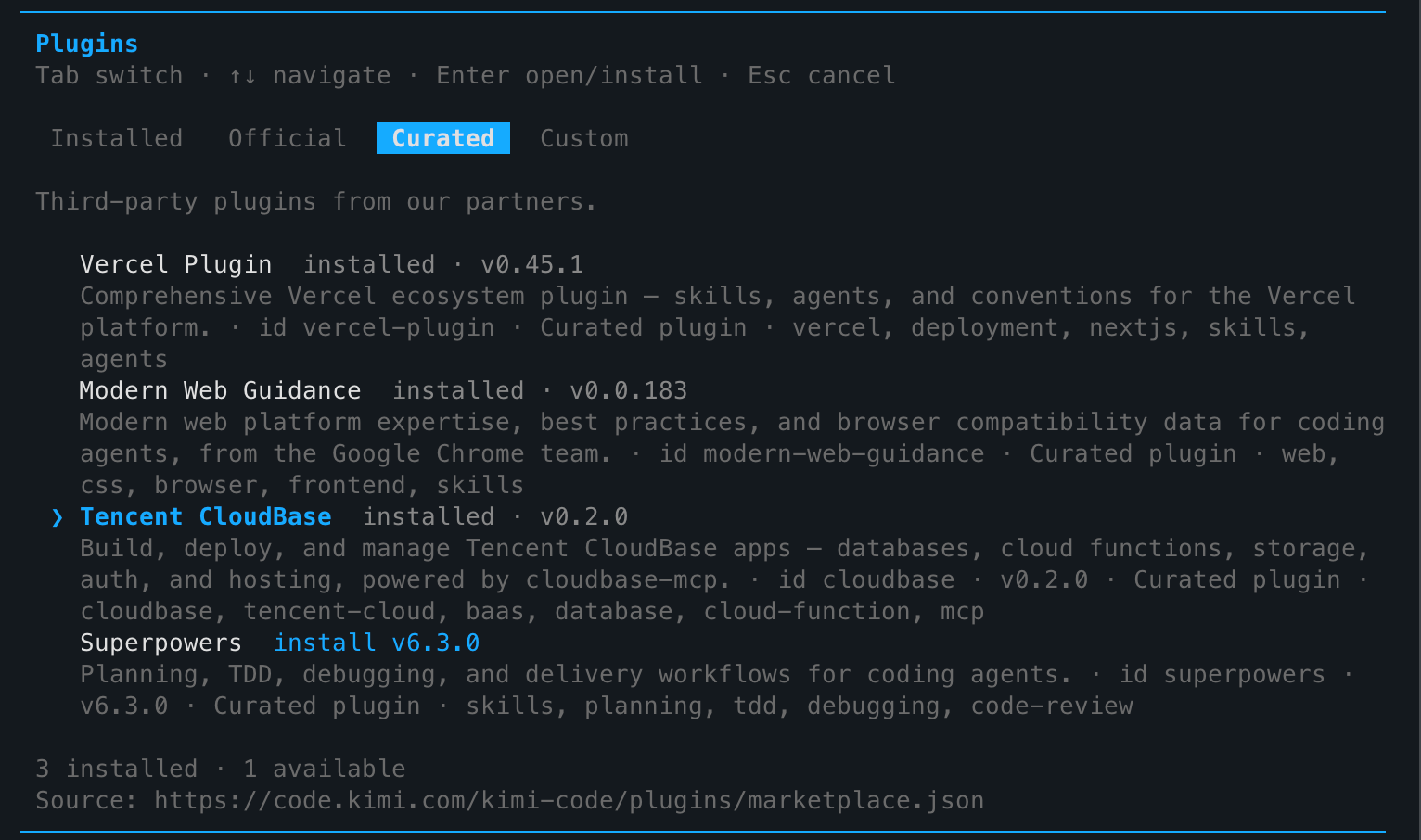
/pluginsin Kimi Code to open the plugin panel - Switch to the Curated tab
- Find Tencent CloudBase, press Enter, select install
After restarting Kimi Code, CloudBase's 29 skills + 1 MCP service load automatically. You can directly say:
- "Create a PostgreSQL table for user data"
- "Deploy a cloud function for file upload"
- "Check today's environment usage"
Everything happens in your terminal — no browser switching needed.
Kimi Work: The Desktop Productivity Tool
Kimi Work is a macOS / Windows desktop app designed for a broader audience of knowledge workers — not just coders, but anyone doing document organization, data analysis, scheduled tasks, and more.
Equally simple setup:
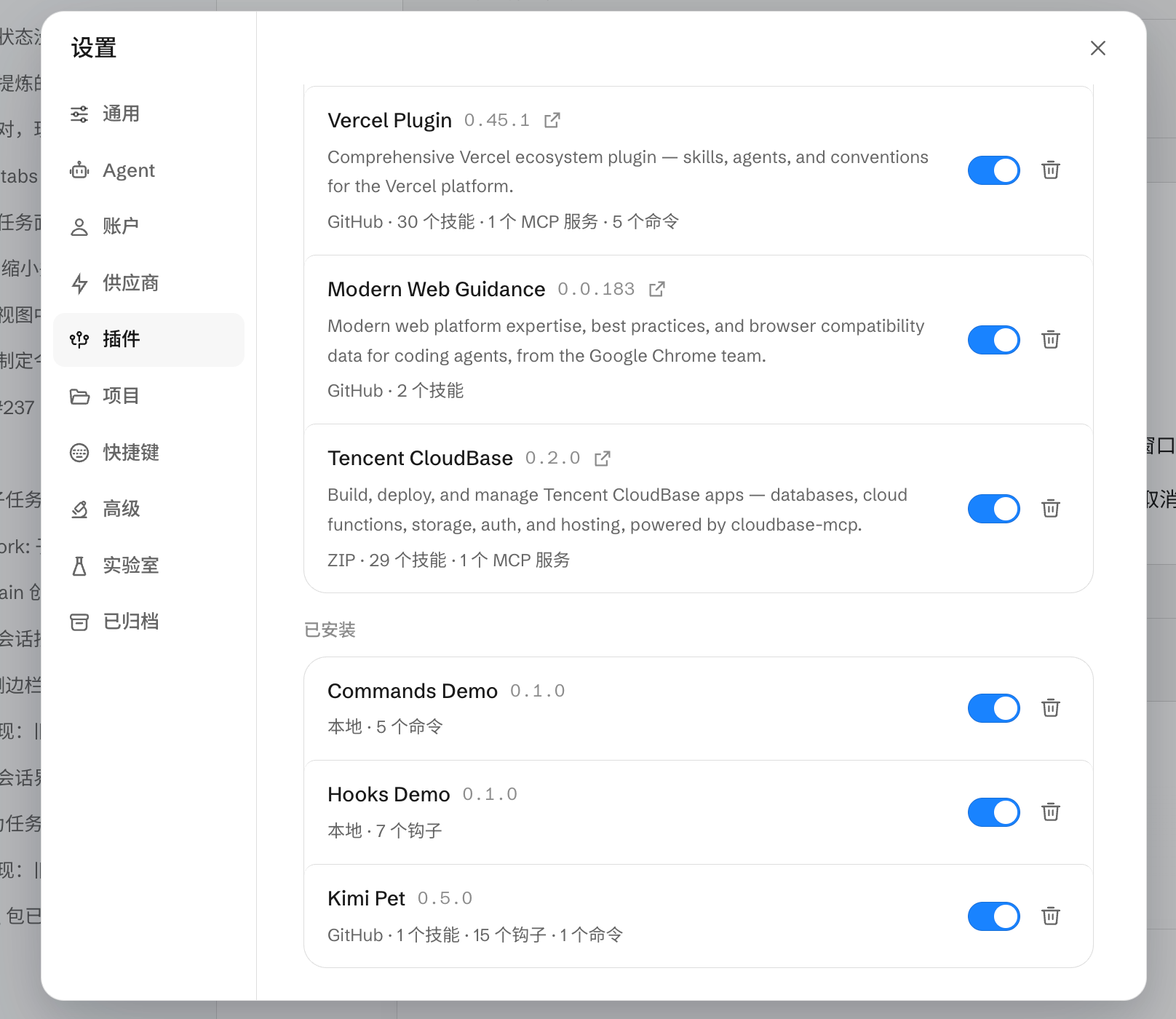
- Open Kimi Work → Settings (gear icon) → Plugins
- Find Tencent CloudBase, toggle the switch
- Panel shows
v0.2.0 · 29 skills · 1 MCP service
Technical Details: One Plugin, Both Ends
The CloudBase Kimi plugin (cloudbase-kimi-plugin.zip) is packaged via Open Plugin Spec and includes:
| Capability | Count | Description |
|---|---|---|
| Skills | 29 | Database, cloud functions, auth, storage, web dev, etc. |
| MCP Tools | 1 | Unified MCP entry point aggregating all CloudBase APIs |
| Model Compatibility | Full Kimi series | Auto-adapts via INTEGRATION_IDE env var |
The plugin identifies its source via INTEGRATION_IDE=Kimi (Code) or INTEGRATION_IDE=Kimi Work, and the CloudBase MCP Server optimizes prompts and default config paths accordingly.
Next Steps
- Kimi Setup Guide — Kimi Code marketplace install and manual MCP config, plus Kimi Work plugin panel and ZIP install
- CloudBase Overview — All supported IDEs and capabilities